> For the complete documentation index, see [llms.txt](https://docs.natoma.ai/llms.txt). Markdown versions of documentation pages are available by appending `.md` to page URLs; this page is available as [Markdown](https://docs.natoma.ai/connect-to-ai/getting-started/configure-client.md).

# Configure Your Client

Set up your AI client to use Natoma connections

After creating connections, configure your AI client (like Cursor, Claude, or ChatGPT) to use them.

## Step 1: Get your configuration

Click the <mark style="color:$primary;">Get Config</mark> button in the top right of your browser.

<figure><img src="https://3781707856-files.gitbook.io/~/files/v0/b/gitbook-x-prod.appspot.com/o/spaces%2F89xcurNEGOdplgwwm3bd%2Fuploads%2Fgit-blob-18ef8e9d290d0ec3723037c2c33dedcc47cf9a9a%2Fimage.png?alt=media" alt=""><figcaption></figcaption></figure>

## Step 2: Select your AI client

Choose your AI client to generate the right configuration for it.

<figure><img src="https://3781707856-files.gitbook.io/~/files/v0/b/gitbook-x-prod.appspot.com/o/spaces%2F89xcurNEGOdplgwwm3bd%2Fuploads%2Fgit-blob-9df631c1a010b045e3d45c6c4bbea3d4f1fa6fe8%2Fimage.png?alt=media" alt=""><figcaption></figcaption></figure>

## Step 3: Update your client's configuration

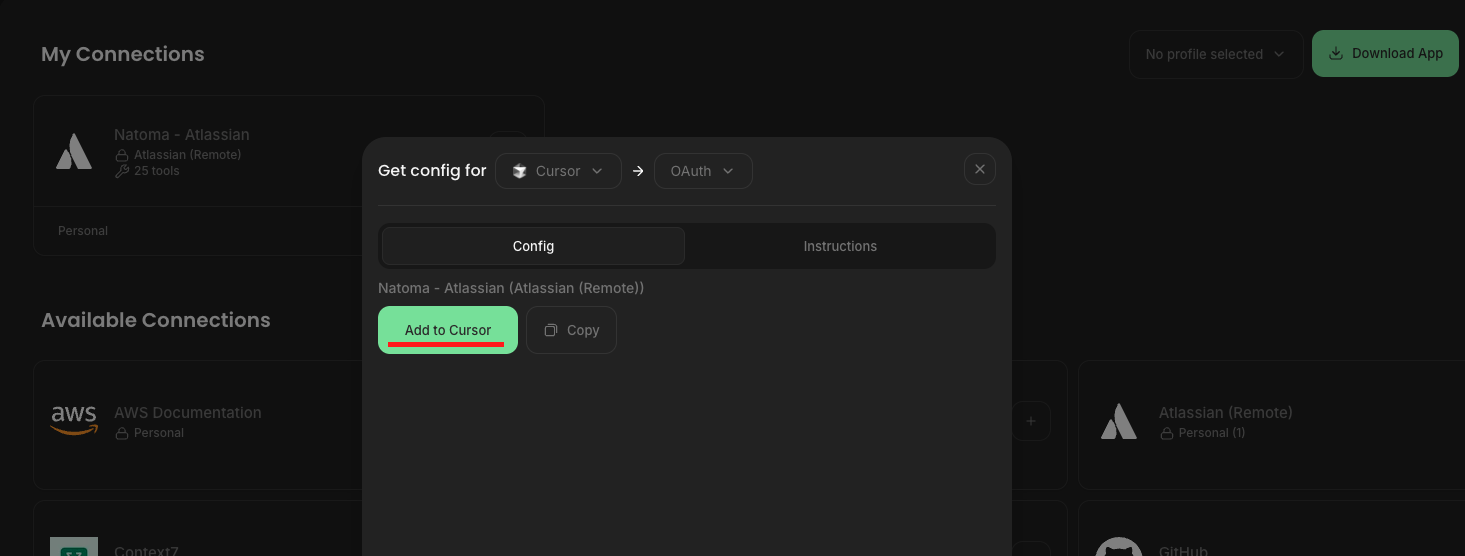
Follow the <mark style="color:$info;">Instructions</mark> tab to update your LLM's configuration.

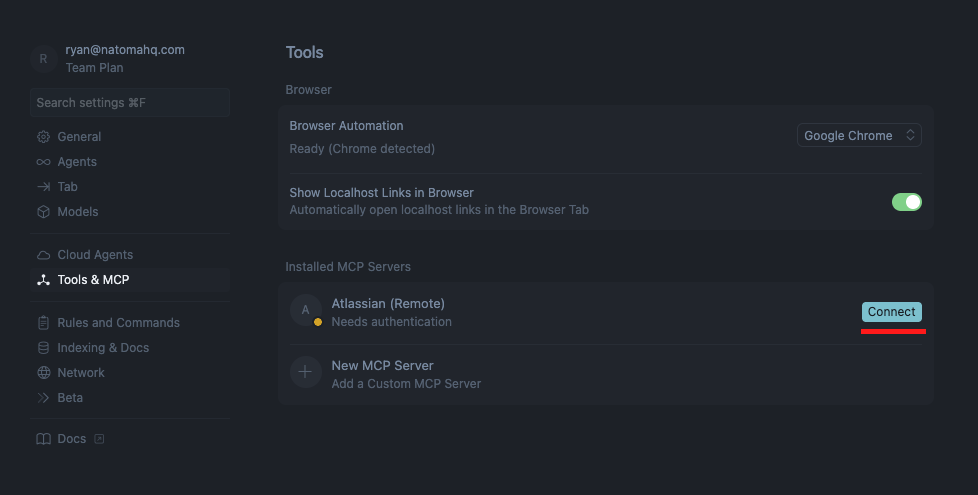
For example, clicking the **`Add to Cursor`** button will add this to Cursor's <mark style="color:orange;">`mcp.json`</mark> config file.

<figure><img src="https://3781707856-files.gitbook.io/~/files/v0/b/gitbook-x-prod.appspot.com/o/spaces%2F89xcurNEGOdplgwwm3bd%2Fuploads%2Fgit-blob-4afc0ff9ff01ffb6b02796fbb0f667a91a02466b%2Fimage.png?alt=media" alt=""><figcaption></figcaption></figure>

## Step 4: Try it out

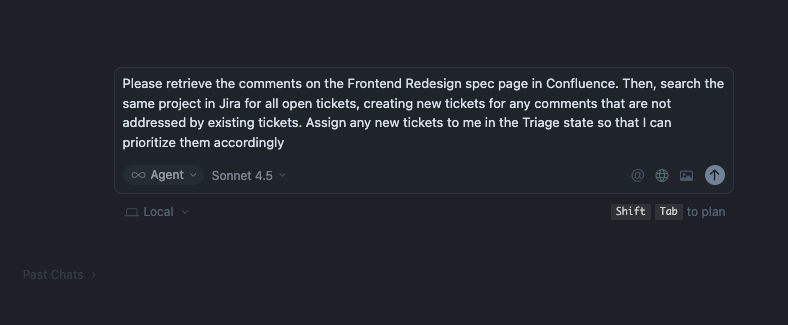
Try out a prompt to start building!

<figure><img src="https://3781707856-files.gitbook.io/~/files/v0/b/gitbook-x-prod.appspot.com/o/spaces%2F89xcurNEGOdplgwwm3bd%2Fuploads%2Fgit-blob-46949f3ce6e86004df0ae9e9d3a6acb203912b28%2Fimage.png?alt=media" alt=""><figcaption></figcaption></figure>